MMeennuu

Loose Design System

Deliverables

Design System

/

Desktop & Mobile

Year

2025

Timeline

3 - 6 Weeks

Introduction

Flex Your Concepts, Simplify Your Steps

Loose is a design system designed to emphasize clarity of information, consistent style, and minimalist components in the design system, while encouraging exploration and flexibility in the use of design components and design development.

Loose was designed with the principle that even the most consistent systems need flexibility. It provides a simple, clear foundation that support creativity and iteration. It's designed to help the team build products without starting from scratch.

Challenges

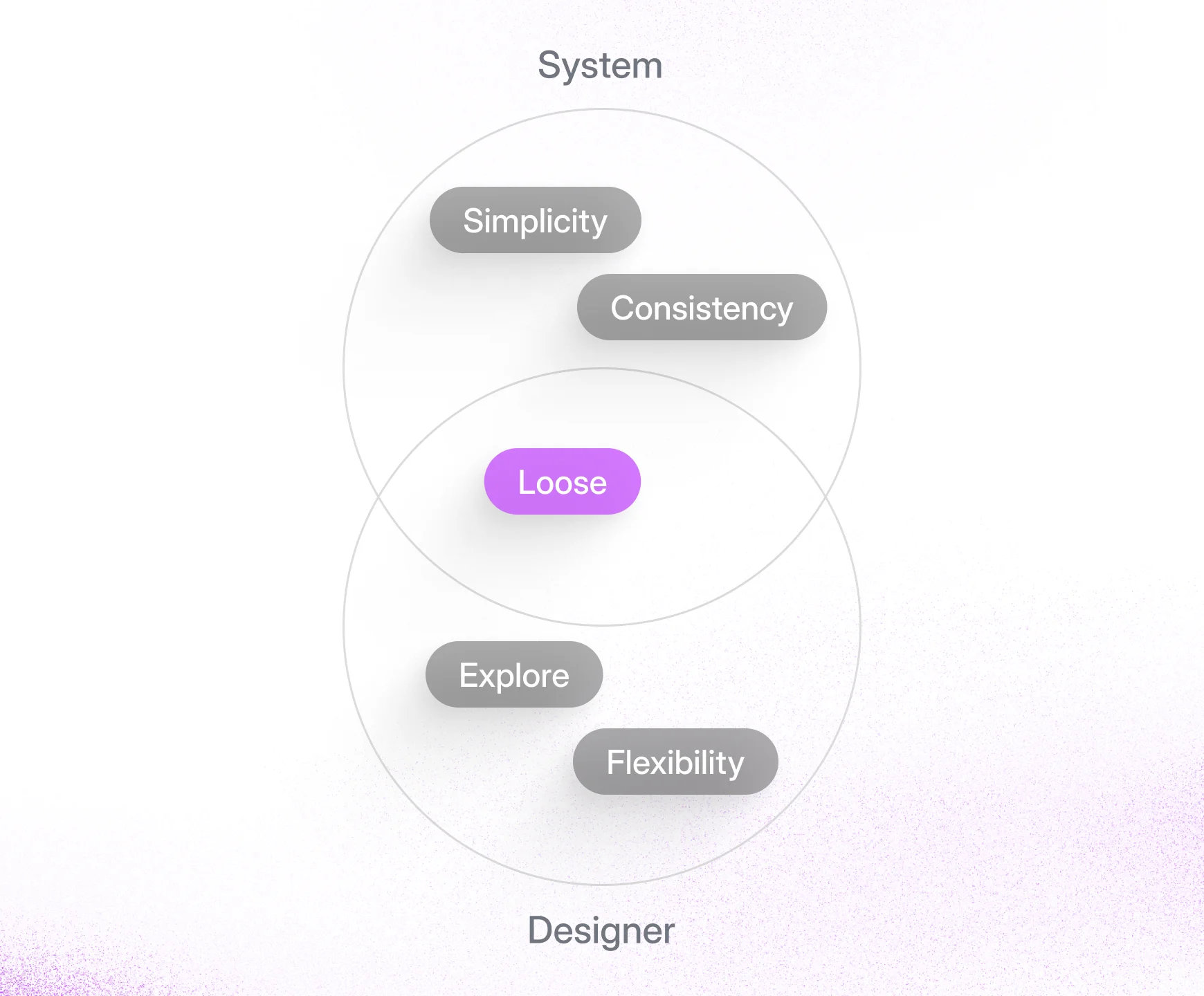
The core challenge was to combine and balance two opposing needs: the system required simplicity and consistency, while designers needed the flexibility to explore and innovate. The goal was to provide clear guidance without being creatively restrictive.
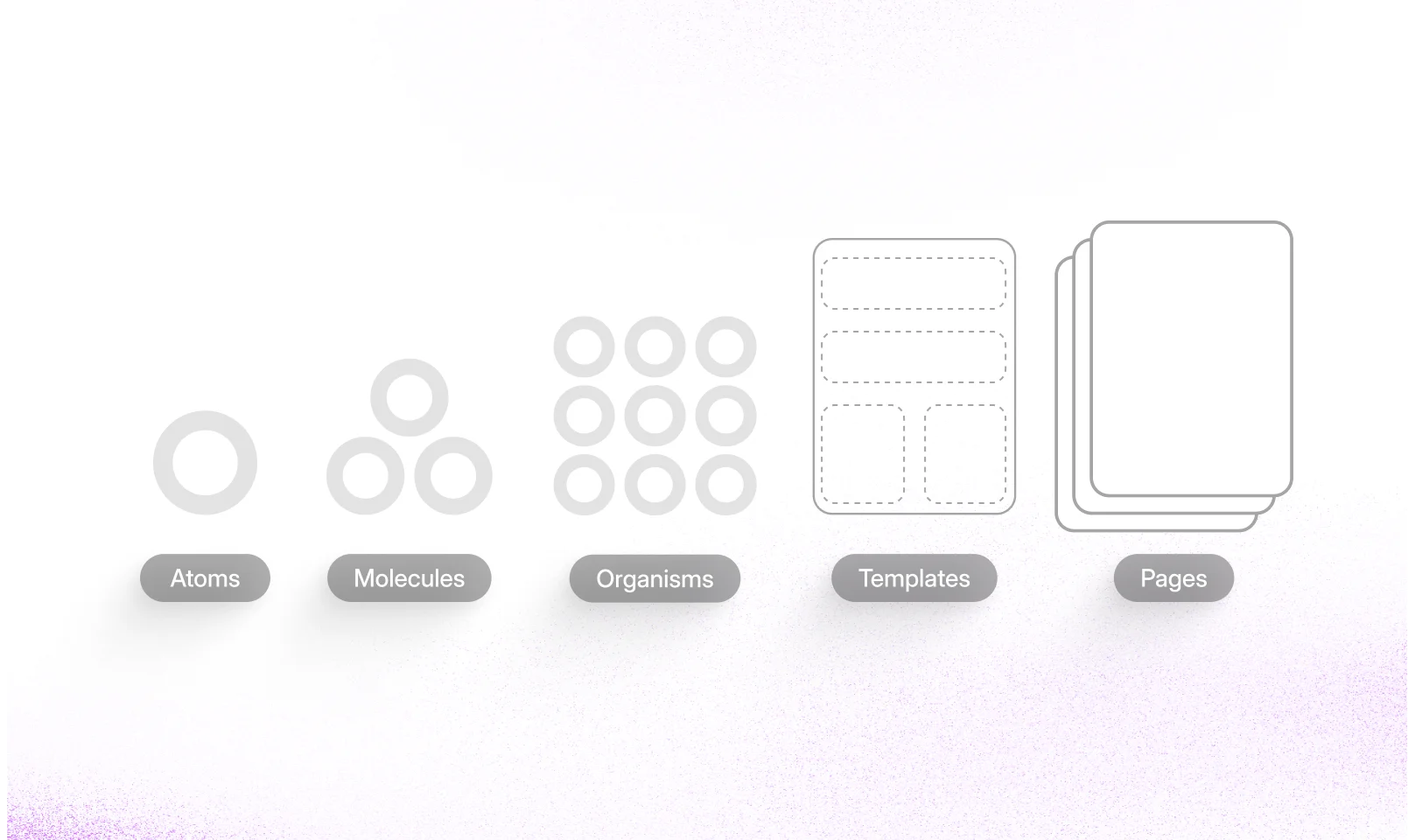
Atomic Design Approach

The Loose design system was built using the Atomic Design methodology. This approach breaks down interfaces into fundamental building blocks, which promotes consistency, modularity, and scalability across the entire product ecosystem.

Solutions

The solution was to create a modular system. This provides a strong foundation of consistency while allowing for creative flexibility and exploration.

A minimal set of core components for clarity.

A minimal set of core components
for clarity.

A minimal set of core components
for clarity.

Consistent styles using scalable design tokens.

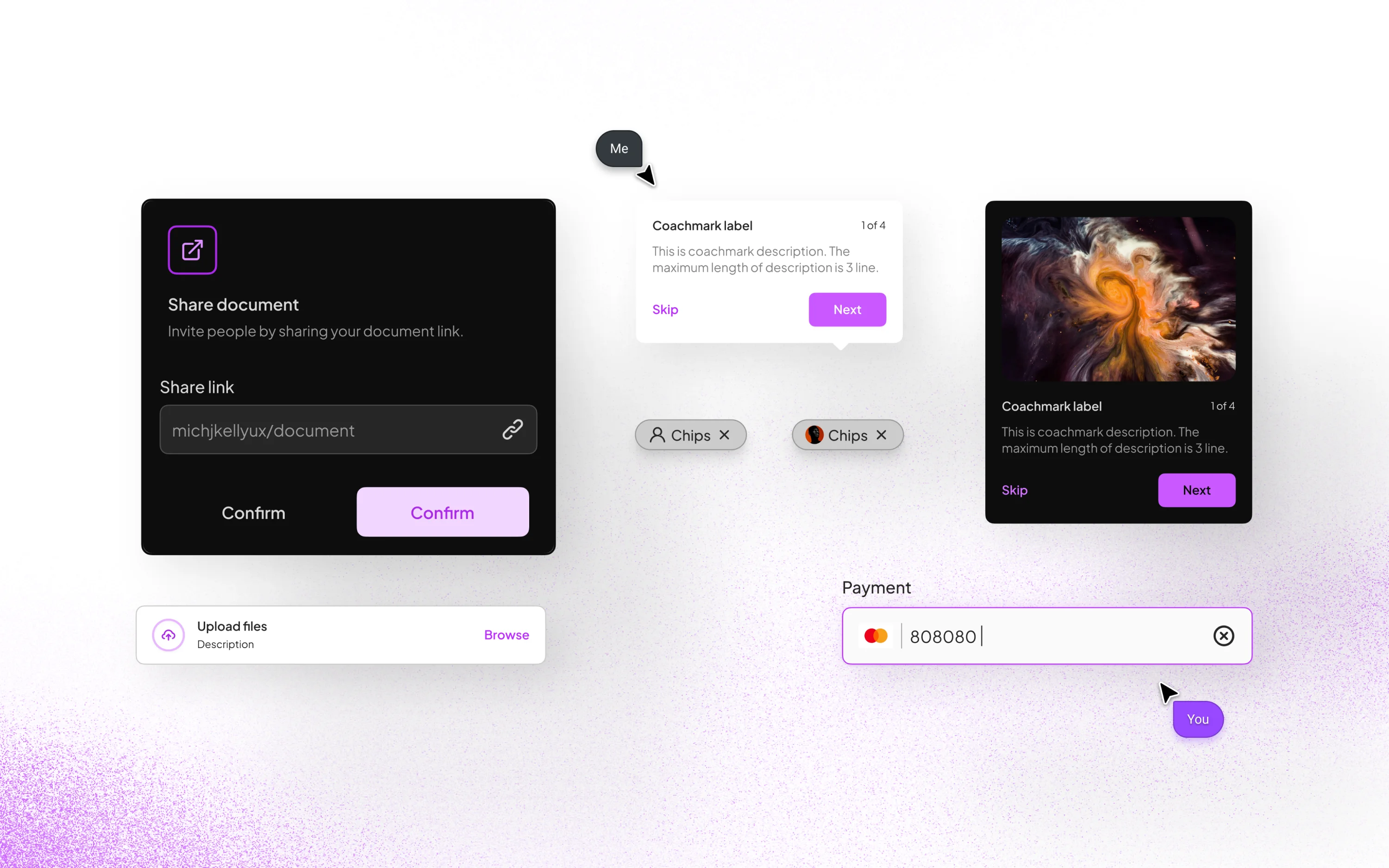
Modular components with variants for flexibility.

Clear documentation that encourages exploration.
Process

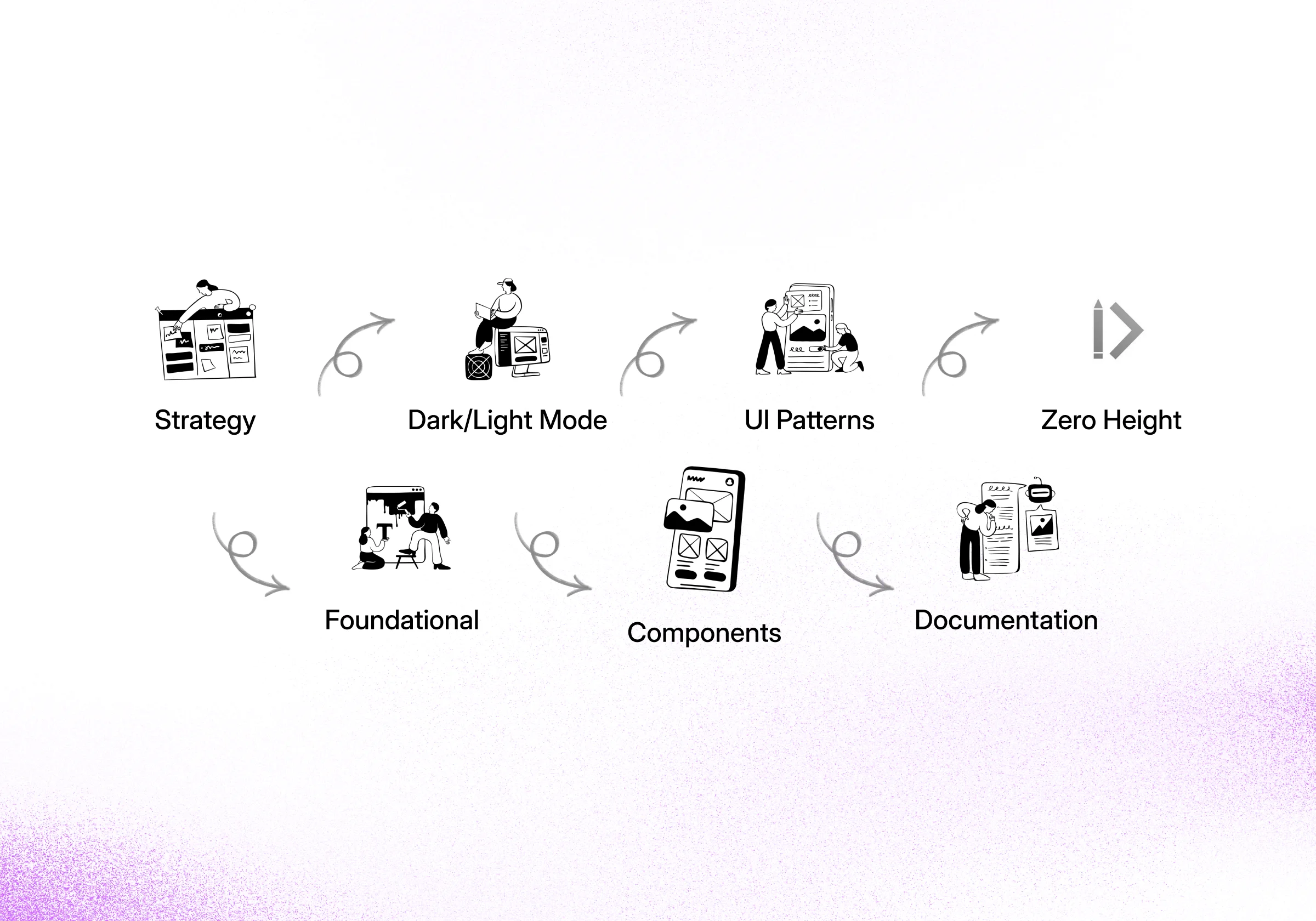
My process started with a foundational strategy for the design system. I then designed and built a robust library of UI patterns and core components, ensuring full support for both Dark and Light modes. All standards were captured in clear documentation.
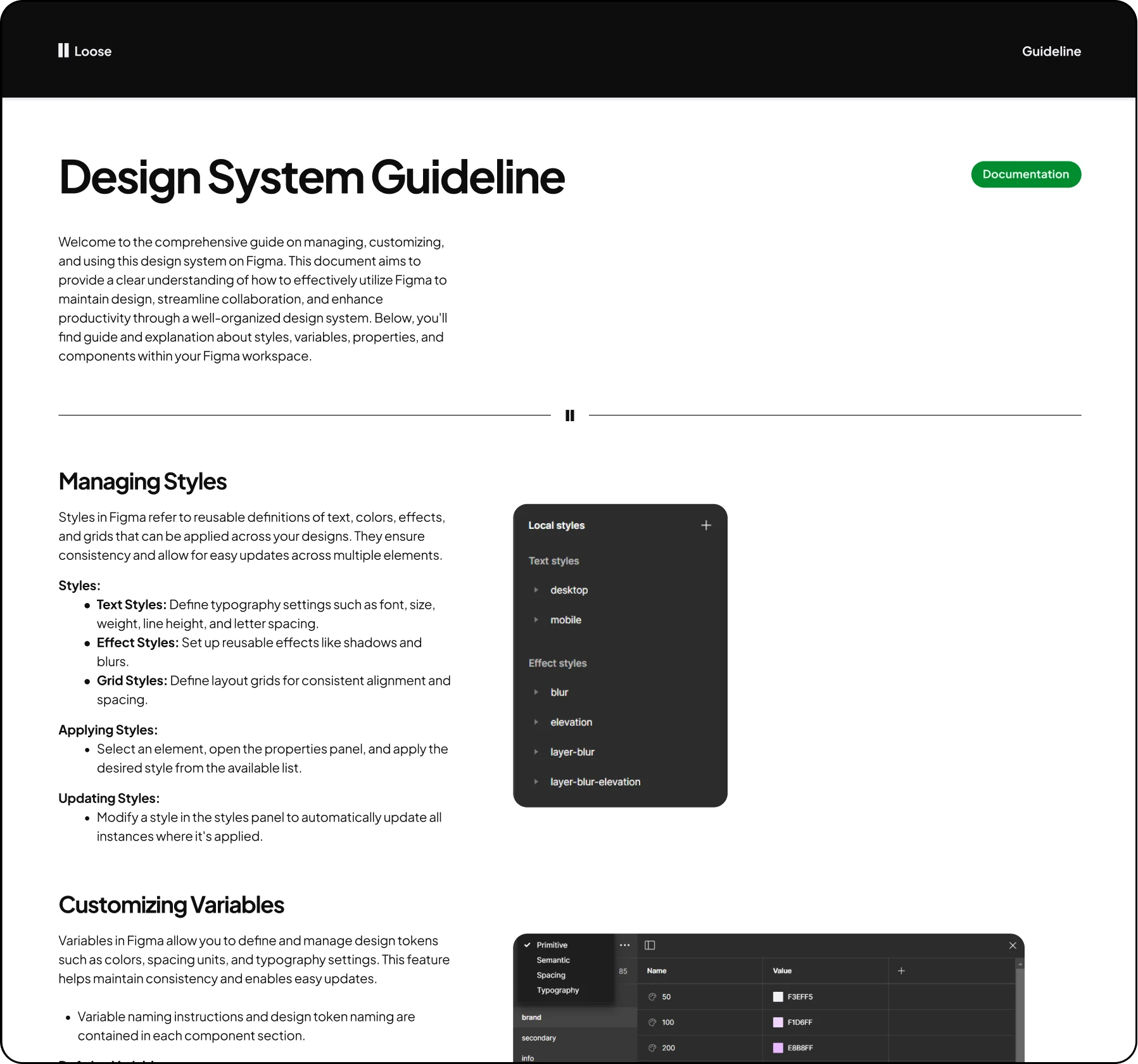
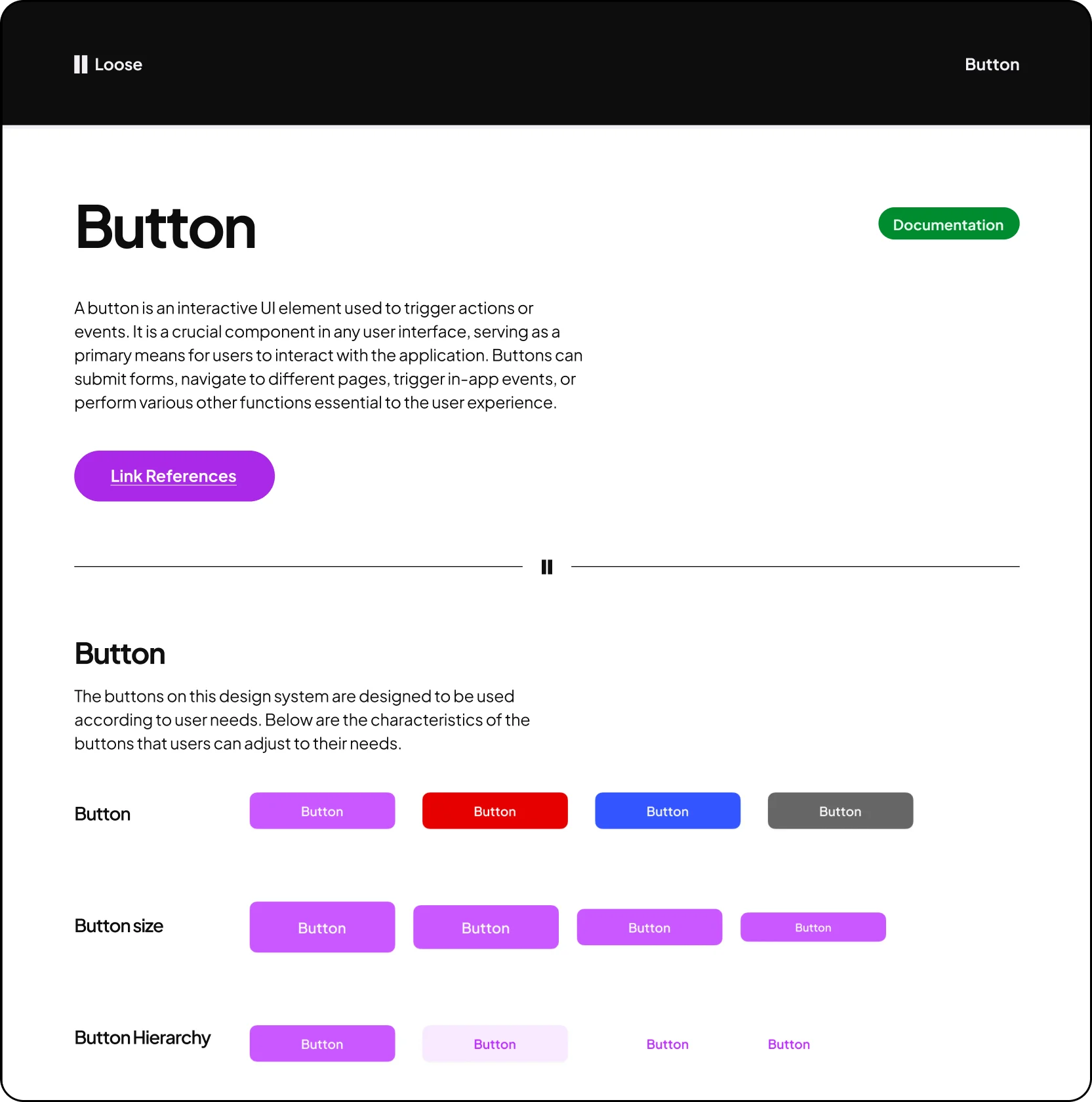
Design System Guideline

This guideline helps users manage the design system and provides clear support for handling its various configurations.

Components Guideline

This guide explains the purpose and function of each component, detailing the foundation of every element with links for refrences.

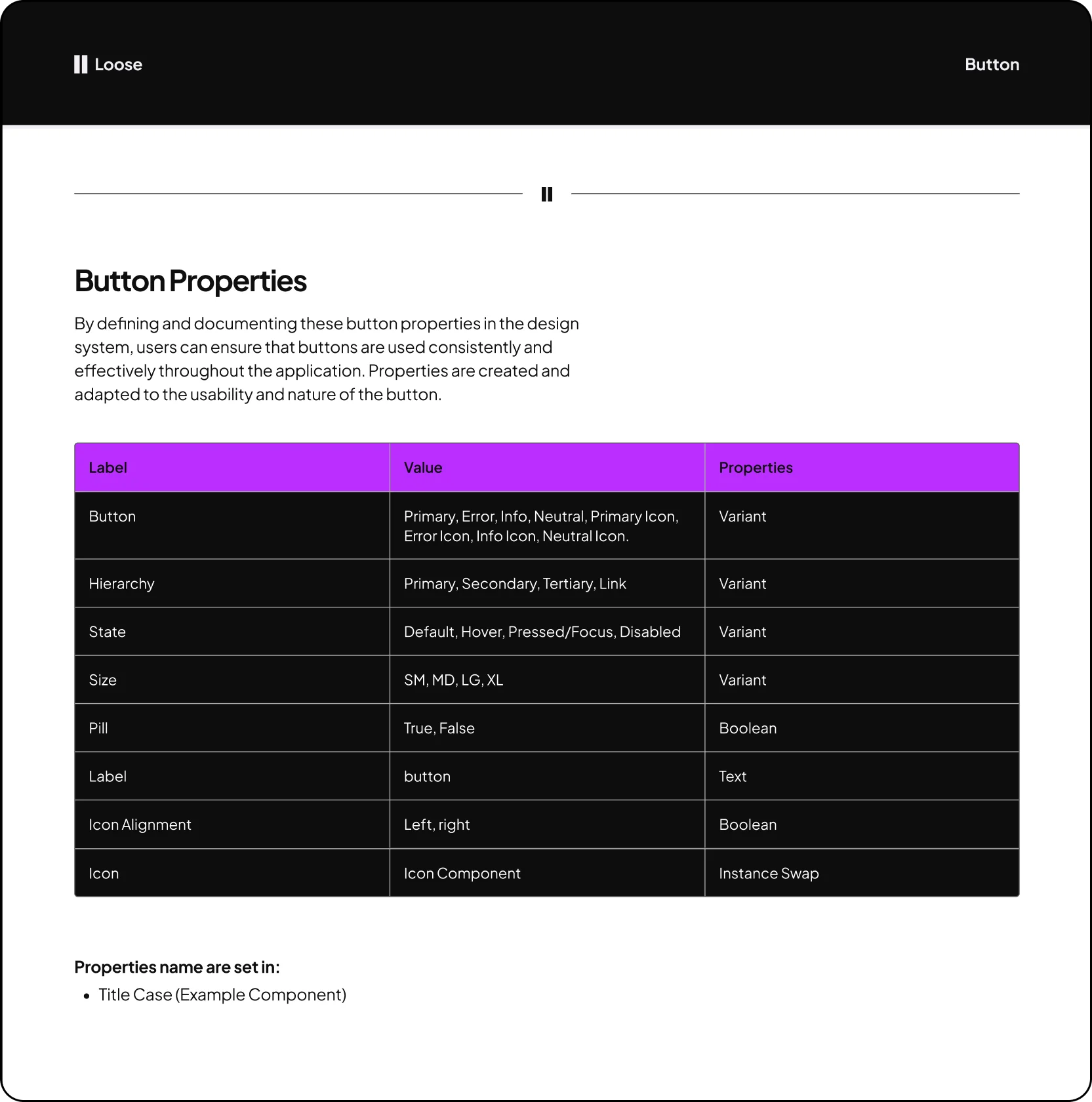
Component Properties Guideline

A clear overview of component properties. This guide explains how they function, what values they support, and how to configure them.

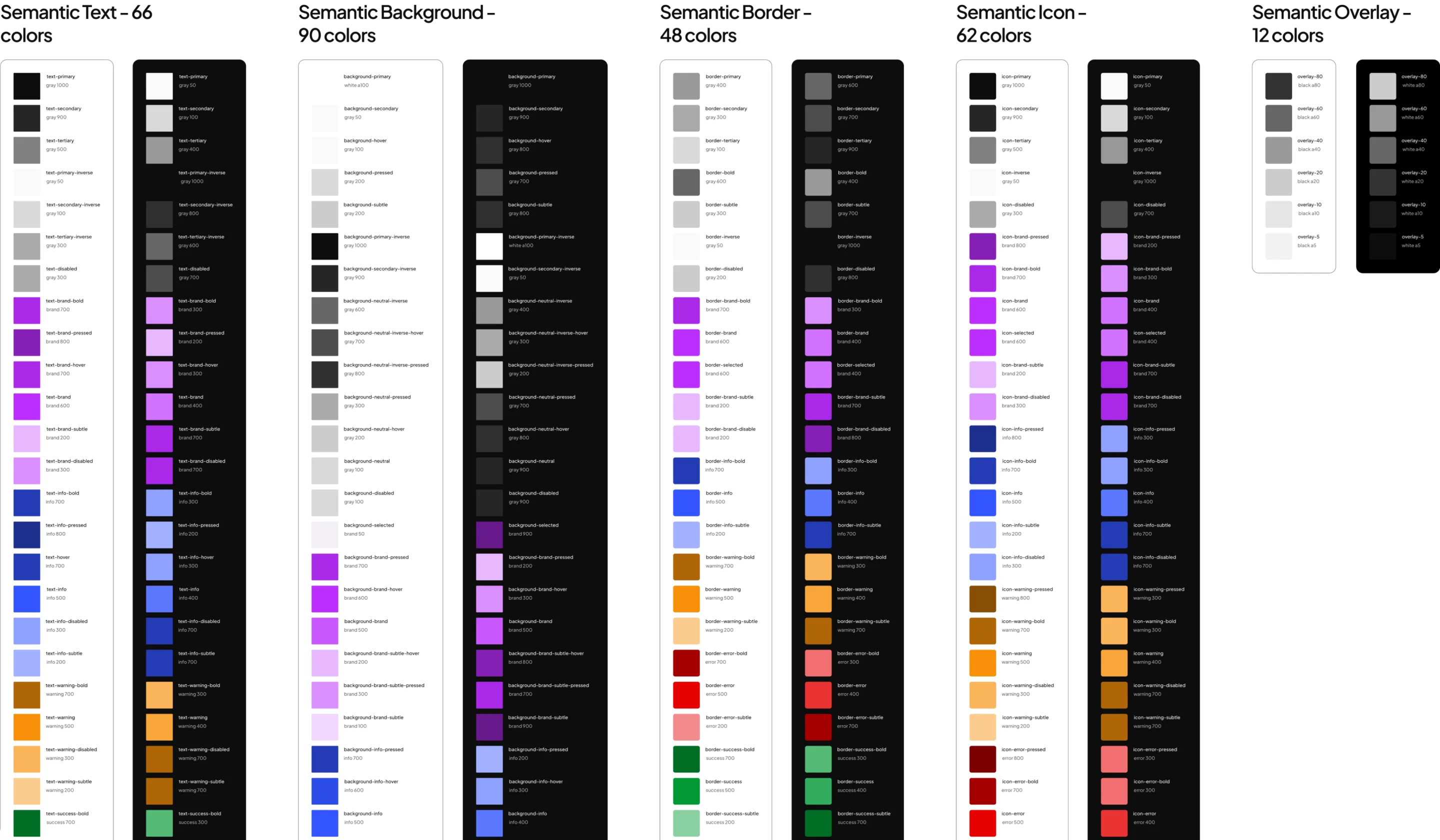
Semantic Colors

Colors are named by their purpose (e.g., 'text-primary'), not just their value. This makes the system clear and easy to use.

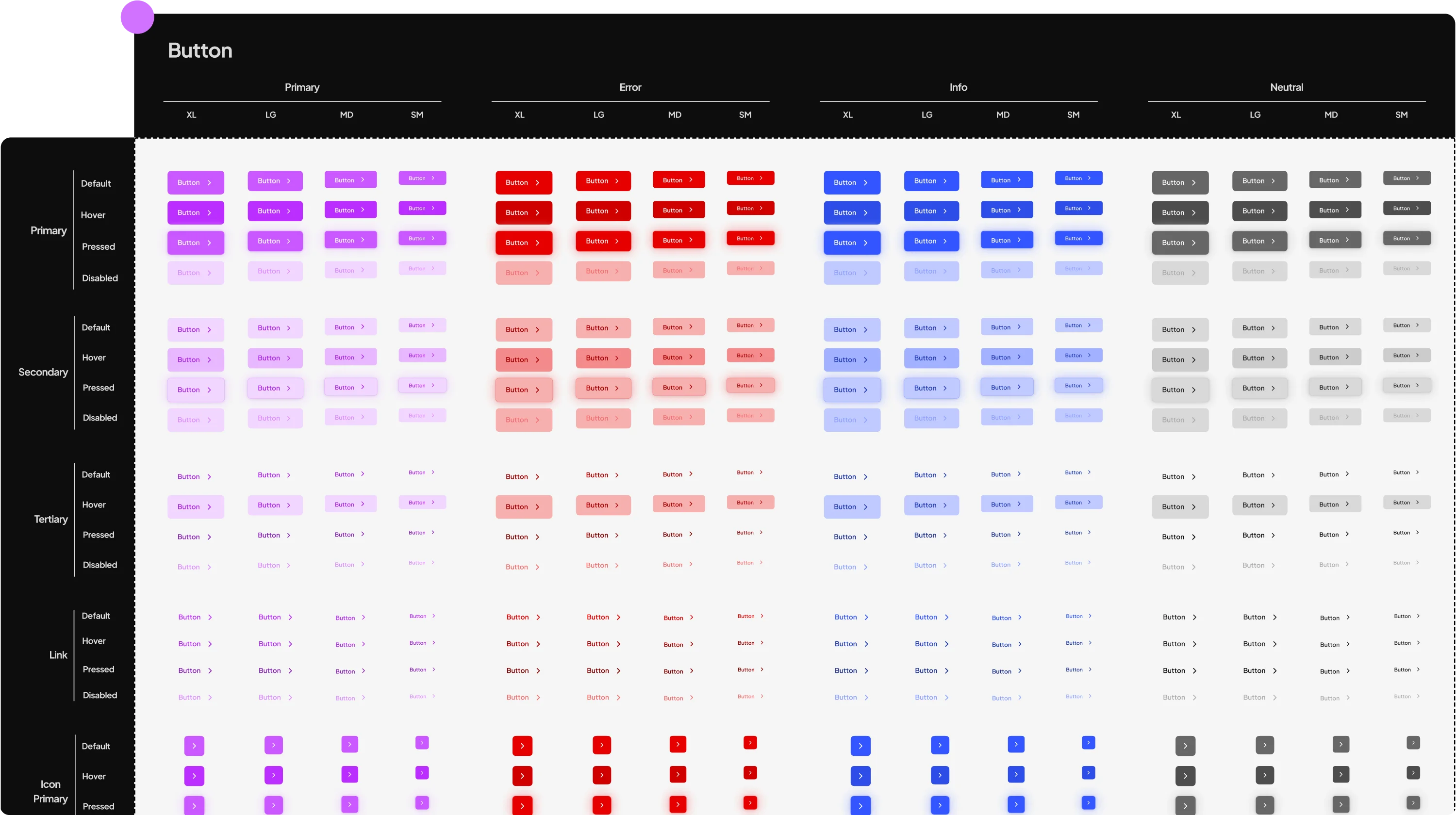
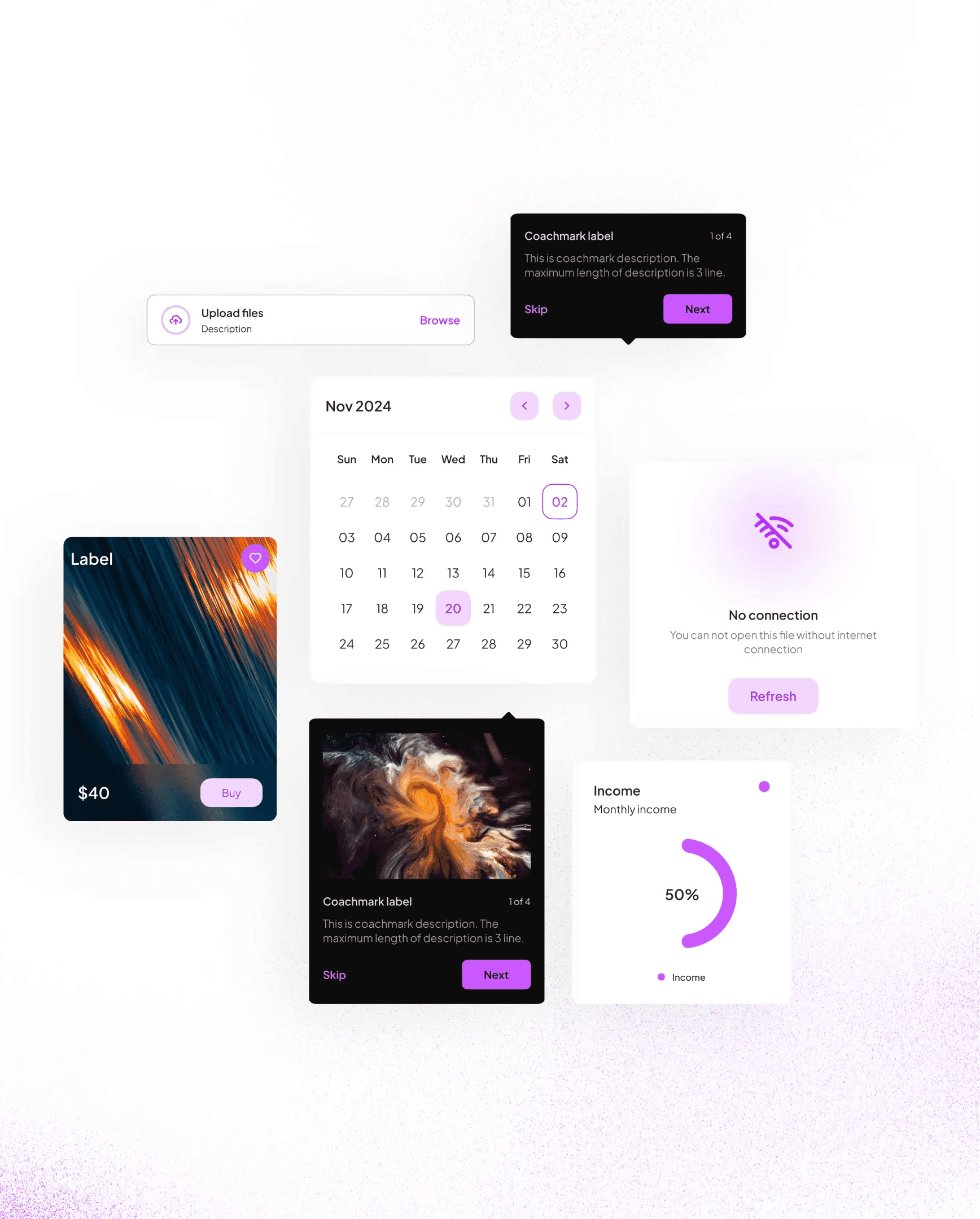
Example Component

The core interactive component for triggering actions. Includes clear variants for different levels of emphasis and use cases.

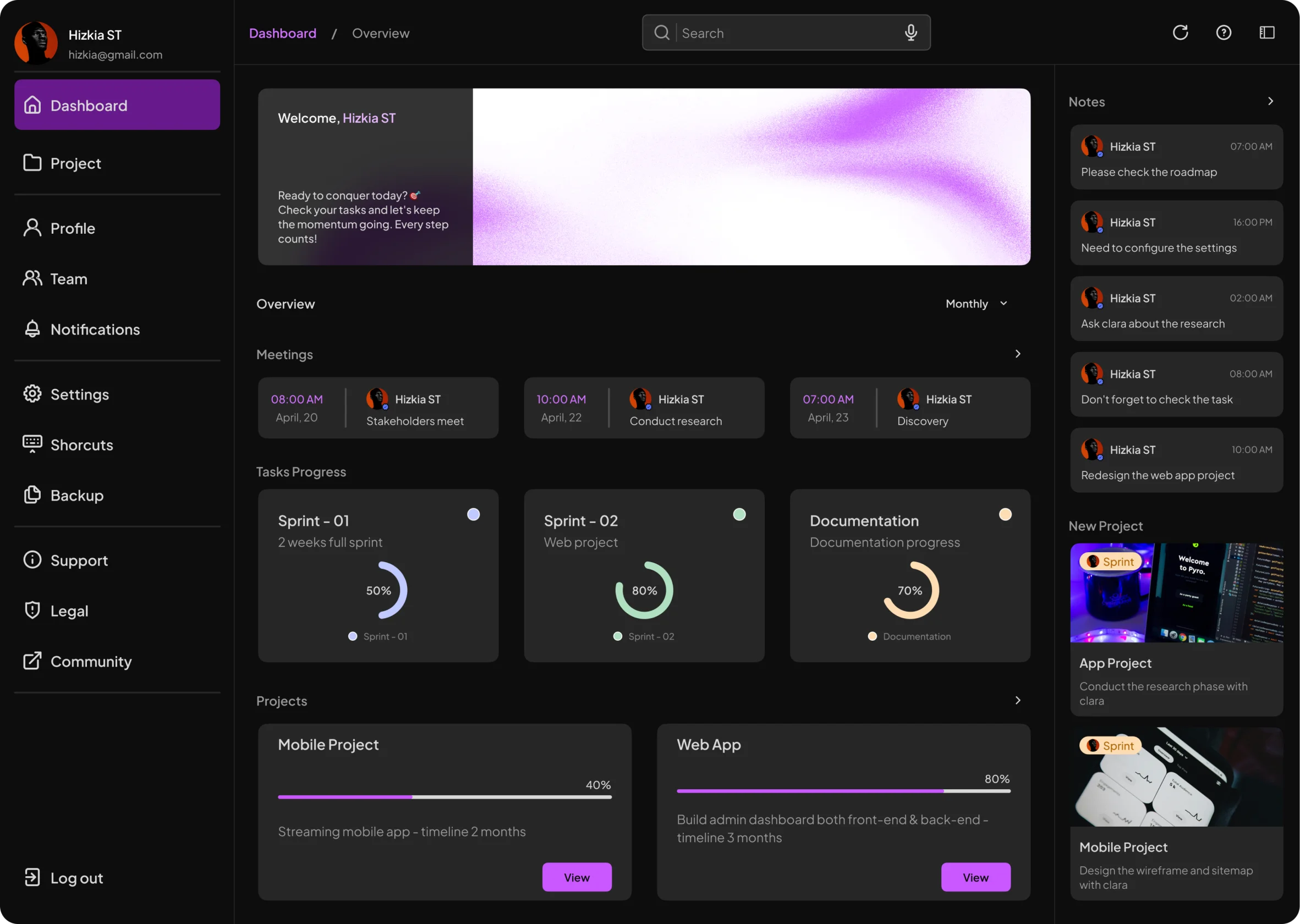
Example Dashboard

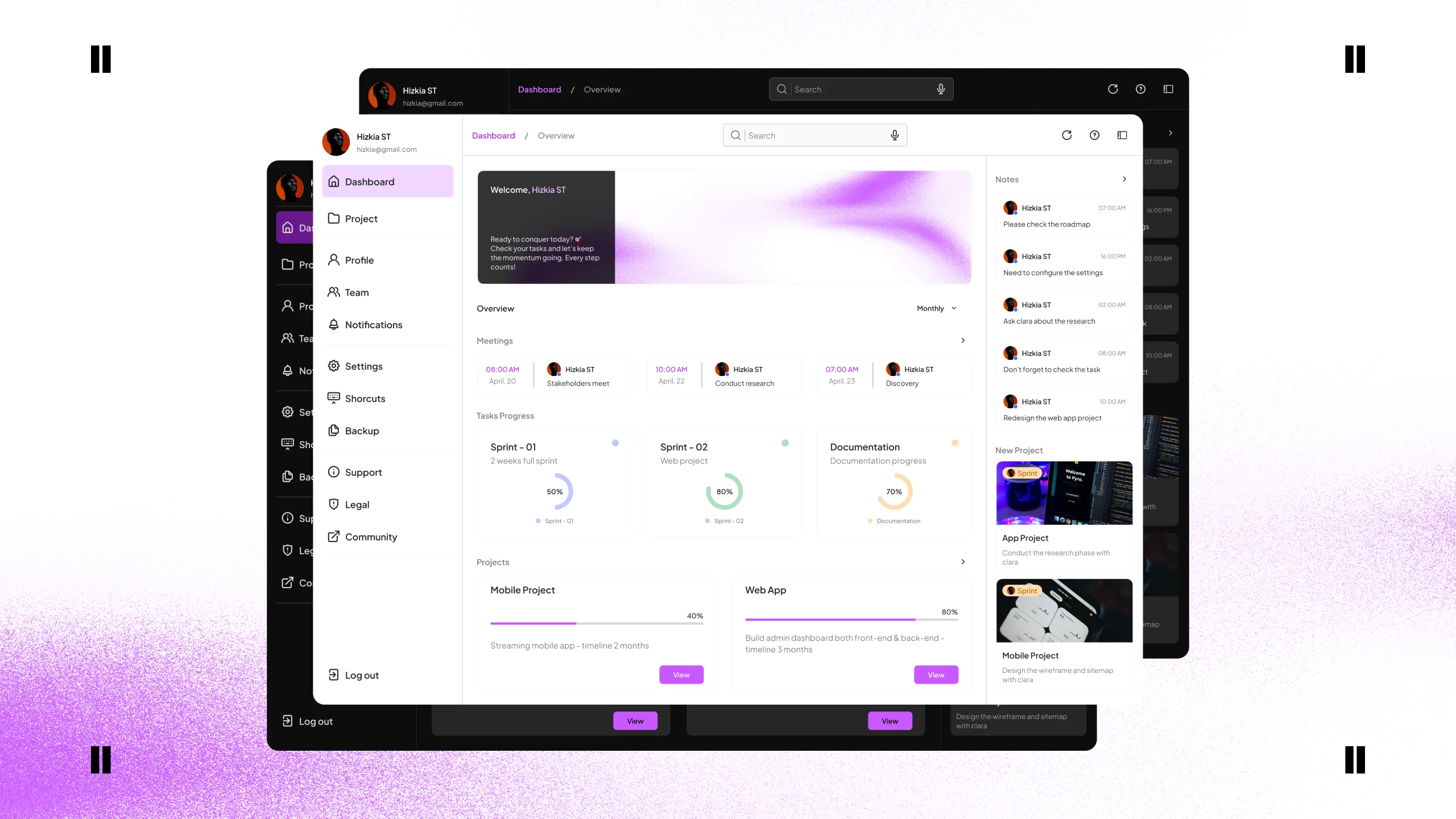
This example shows how the system's components and styles can be combined to build a clean and functional dashboard.

Example Component

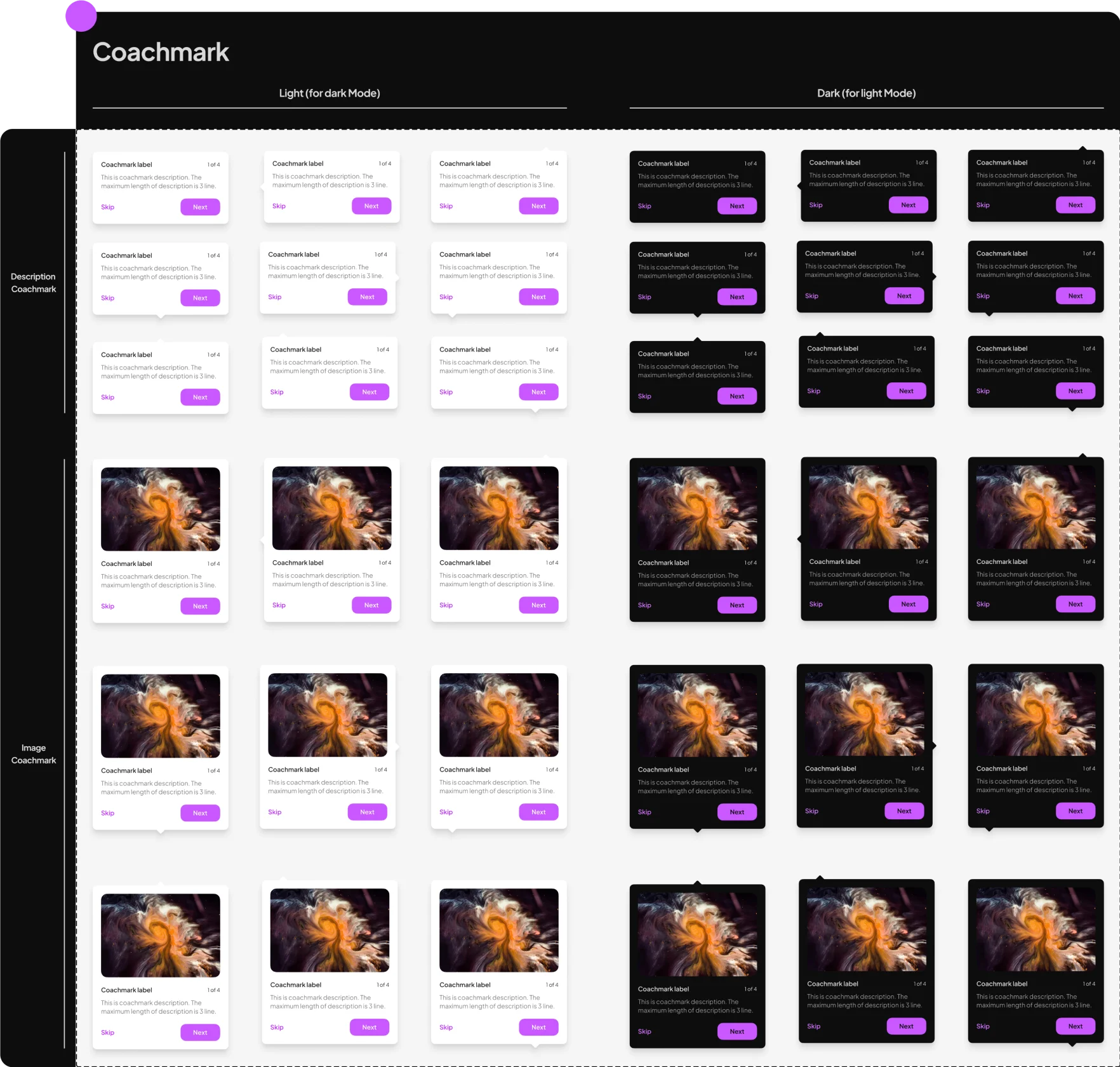
A coach mark component used to guide users by highlighting new features or interface elements without disrupting their workflow.

Design System Guideline

This guideline helps users manage the design system and provides clear support for handling its various configurations.

Components Guideline

This guide explains the purpose and function of each component, detailing the foundation of every element with links for refrences.

Component Properties Guideline

A clear overview of component properties. This guide explains how they function, what values they support, and how to configure them.

Semantic Colors

Colors are named by their purpose (e.g., 'text-primary'), not just their value. This makes the system clear and easy to use.

Example Component

The core interactive component for triggering actions. Includes clear variants for different levels of emphasis and use cases.

Example Dashboard

This example shows how the system's components and styles can be combined to build a clean and functional dashboard.

Example Component

A coach mark component used to guide users by highlighting new features or interface elements without disrupting their workflow.

Design System Guideline

This guideline helps users manage the design system and provides clear support for handling its various configurations.

Components Guideline

This guide explains the purpose and function of each component, detailing the foundation of every element with links for refrences.

Component Properties Guideline

A clear overview of component properties. This guide explains how they function, what values they support, and how to configure them.

Semantic Colors

Colors are named by their purpose (e.g., 'text-primary'), not just their value. This makes the system clear and easy to use.

Example Component

The core interactive component for triggering actions. Includes clear variants for different levels of emphasis and use cases.

Example Dashboard

This example shows how the system's components and styles can be combined to build a clean and functional dashboard.

Example Component

A coach mark component used to guide users by highlighting new features or interface elements without disrupting their workflow.

Outcomes

The final outcome is a comprehensive and scalable design system. It includes 6 foundational systems, a robust component library with 4700+ variants, and full documentation.

0
0
0

Total Component Variants

Ensuring ultimate flexibility and
scalability.

Simplified energy data into visuals

0
0
0

Color Tokens

A full palette with dark & light mode support.

Simplified energy data into visuals

0
0
0

Foundational Systems

Core systems for a consistent design language.

Simplified energy data into visuals

0
0
0

Main Components

The core library of ready-to-use UI elements.

Simplified energy data into visuals

H

o

w

C

a

n

I

H

e

l

p

?

Social media

LLiinnkkeeddIInn
BBeehhaannccee
DDrriibbbbbbllee
MMeeddiiuumm
TTiikkTTookk
IInnssttaaggrraamm

Ars Longa Vita Brevis

© MichjkellyUX 2025

H

o

w

C

a

n

I

H

e

l

p

?

Social media

LLiinnkkeeddIInn
BBeehhaannccee
DDrriibbbbbbllee
MMeeddiiuumm
TTiikkTTookk
IInnssttaaggrraamm

Ars Longa Vita Brevis

© MichjkellyUX 2025

H

o

w

C

a

n

I

H

e

l

p

?

Social media

LLiinnkkeeddIInn
BBeehhaannccee
DDrriibbbbbbllee
MMeeddiiuumm
TTiikkTTookk
IInnssttaaggrraamm

Ars Longa Vita Brevis

© MichjkellyUX 2025

Create a free website with Framer, the website builder loved by startups, designers and agencies.